Just recently, I had a customer that wanted to synchronize photos for their employees from HR to Entra ID. Here is my experience on this issue, as it was surprisingly difficult to do it “properly”.
When I do integrations like this, I want to make them stateless whenever possible, as the complexity is just so much lower with no state to manage at all. After digging around the Graph endpoint documentation and doing some testing, I found that when we upload a new picture, Microsoft is doing some kind of processing of the image data that we upload, removing metadata and saving it as JPEG.
This means that we can upload image data to a user, get the data back and it will not match:
Install-Module EntraIDAccessToken -Scope CurrentUser
Add-EntraIDInteractiveUserAccessTokenProfile -Scope "https://graph.microsoft.com/ProfilePhoto.ReadWrite.All"

# Upload picture
invoke-restmethod "https://graph.microsoft.com/v1.0/users/08c83ffb-0cf3-4094-aa17-a200814d1a90/photo/`$value" -Headers (Get-EntraIDAccessTokenHeader) -Method Put -InFile .\illustratio.png -ContentType "image/png"  -Debug -Verbose

# Download the picture back
invoke-restmethod "https://graph.microsoft.com/v1.0/users/08c83ffb-0cf3-4094-aa17-a200814d1a90/photo/`$value" -Headers (Get-EntraIDAccessTokenHeader) -OutFile downloaded.png
And even though we expect the same data to be downloaded, we get a different file:

So, we are unable to check that the image data is actually already correct between Entra ID and HR… Annoying! There is one solution available though, which is the image ETag:
$wr = Invoke-WebRequest "https://graph.microsoft.com/v1.0/users/08c83ffb-0cf3-4094-aa17-a200814d1a90/photo/`$value" -Headers (Get-EntraIDAccessTokenHeader)
$wr.Headers.ETag
This will return a value like W/”f7ffb4e2935883c4cdadceb0c829e594a7297b3a72b6aa3281c3b7613a0f9367″, which is not deterministic – meaning it will be a new value each time we upload a new picture – even though the picture data is the same exact binary data. So, in a world where we maintain the state, we could store this value along with the sha256 hash of the uploaded image data, and we could compare them.
Actually, this is even more annoying, because there is no way to $select or $expand the photos property of users:
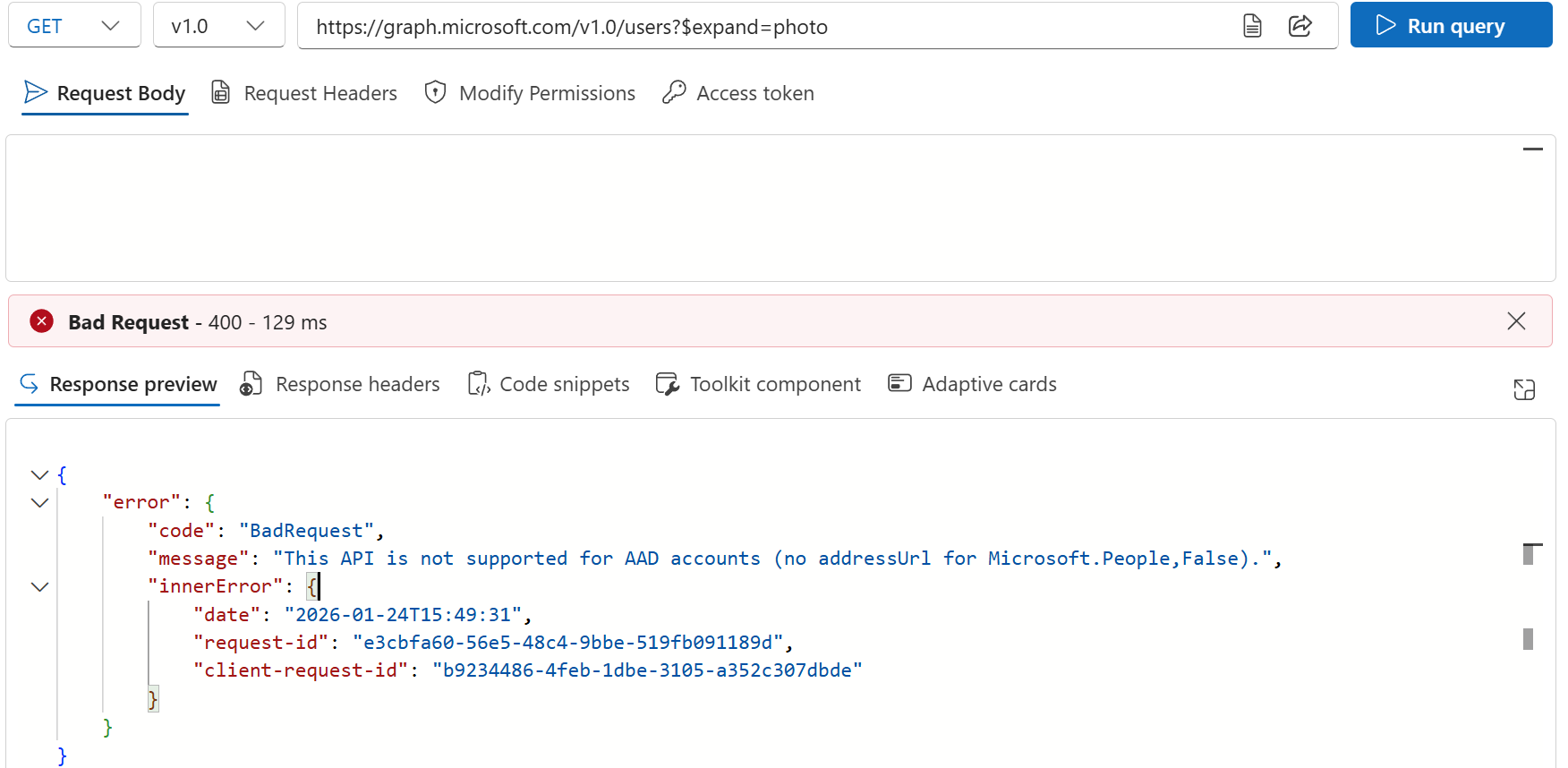
So in order to detect that users uploaded a new photo, we would need to GET the photo metadata of each user, which of course takes for ever.
So what is the solution here? Well, the way we ended up doing at this customer is to do the following:
- Get all user photos from HR (A single call to get all photos along with the uploaded date)
- Hourly:
- For all user photos from HR changed within the last few hours, patch the user in Entra ID
- Weekly:
- Patch the user photo of all users (Takes around 90 minutes, which could be optimized with the $batch endpoint)
Is it a good solution? No, not really, but it works.

 Good Workaround!