Agents are on everyone’s lips these days. Many of my customers complain that they lack knowledge about how agents interact with their environment, how they sign in, how they act on behalf of their users and they have no clue how to govern them. To be honest, neither do I, so I will be writing a blog series where I dig deep into the realm of agents. Let’s go!
Ehm, where do we start? Well, Microsoft has gotten quite good at documentation, so the What is Microsoft Entra Agent ID? page is a really good start. The way I write these kinds of blog posts is not in a “I already learned this, let me give you the TLDR”-kind of way, but instead a “I have an OK impression on what this is already, but I don’t really have all the details. Now, let me write while I experiment.”-kind of way…
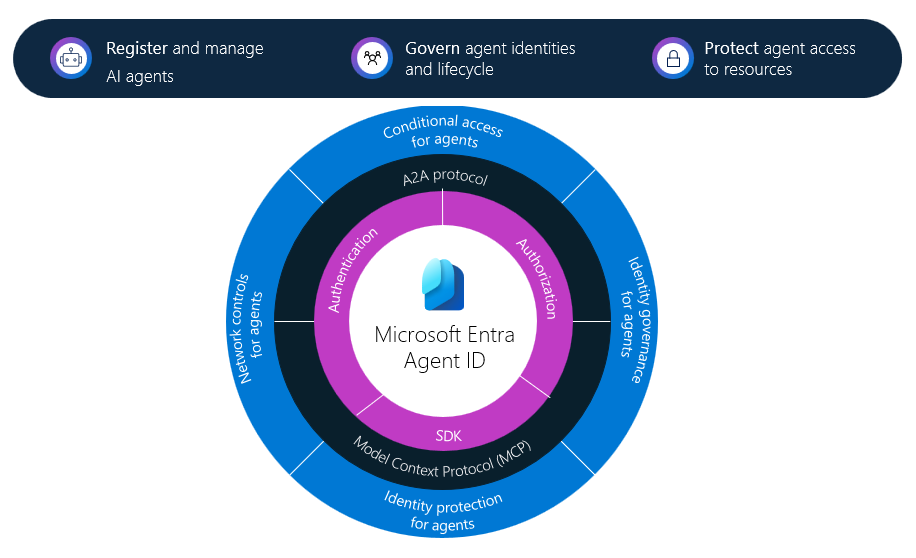
Reading the documentation, we first find this fancy diagram, that essentially highlights a lot of things that will be involved in a complete solution, based on Entra. The protocols listed in black, being the Model Context Protocol (MCP) and Agent 2 Agent Protocol (A2A) are both open protocols, allowing for interaction between agents and from agents to APIs. This is all nice, but being an identity nerd, I am really more interested in the inner workings of the purple stuff – Authentication and Authorization, at least initially, as I believe this will give insight into how we can actually understand what these agents are doing.
So for now, I am going to ignore everything the documentation says about agent registry, governance, etc., just digging straight into this: Agent identity and blueprint concepts in Microsoft Entra ID.
In Entra ID, we have up until now had the a few simple facts:
- A service principal and an enterprise app is essentially the same thing
- An app registration is the definition of a service principal
- The service principal is an instance of an app registration
- There can only be one service principal with the same appid / clientid in a tenant
- Meaning: A multi tenant app registration can have only one instance per tenant
- Managed Service Identities are essentially service principals where Microsoft manages the app registration for us
- Users authenticate with passwords, certificates, sms, authenticator app or passkey
With agents, we are getting some new stuff, partially building on top of existing components.
Agent identity blueprint
Let’s say we are a company that wants to build an agent, where you might have many customers that all want one or more instances of your agent. The Agent Identity Blueprint is only created once for this agent, and contains information about things like who you are as a publisher, the name of the agent, available app roles, etc. – all things that we today have on app registrations. And of course maybe the most important part – credentials for our agent(s)!
Agent identity blueprint principal
When any of your customers onboard the agent, an Agent identity blueprint principal is created – the instance of your Agent identity blueprint. 100% how application registrations and service principals work today.
Creating our first agent identity blueprint
Let’s create one, following this documentation:
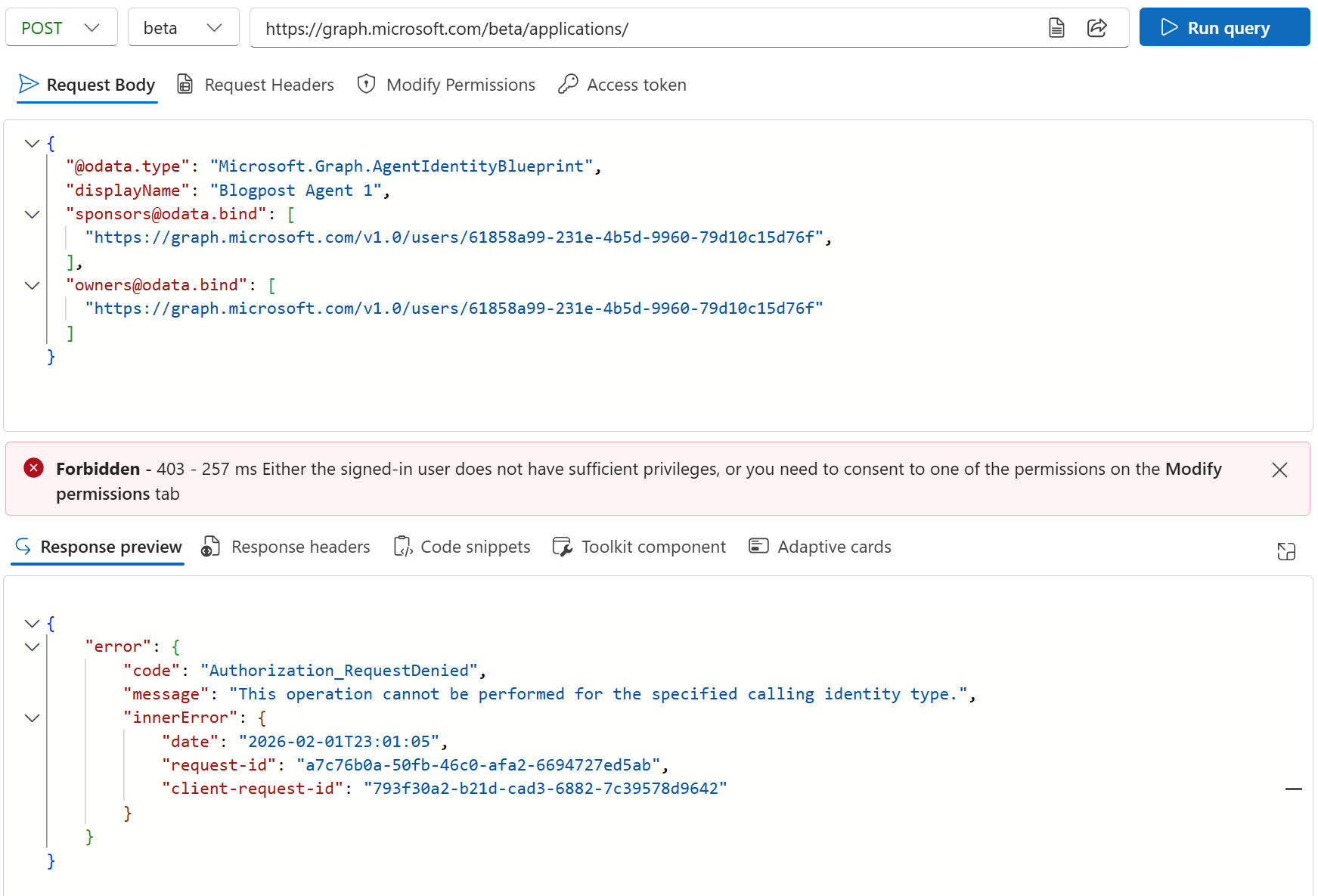
Well this failed.. So, I tried doing the same operation as an app with lots of permissions:
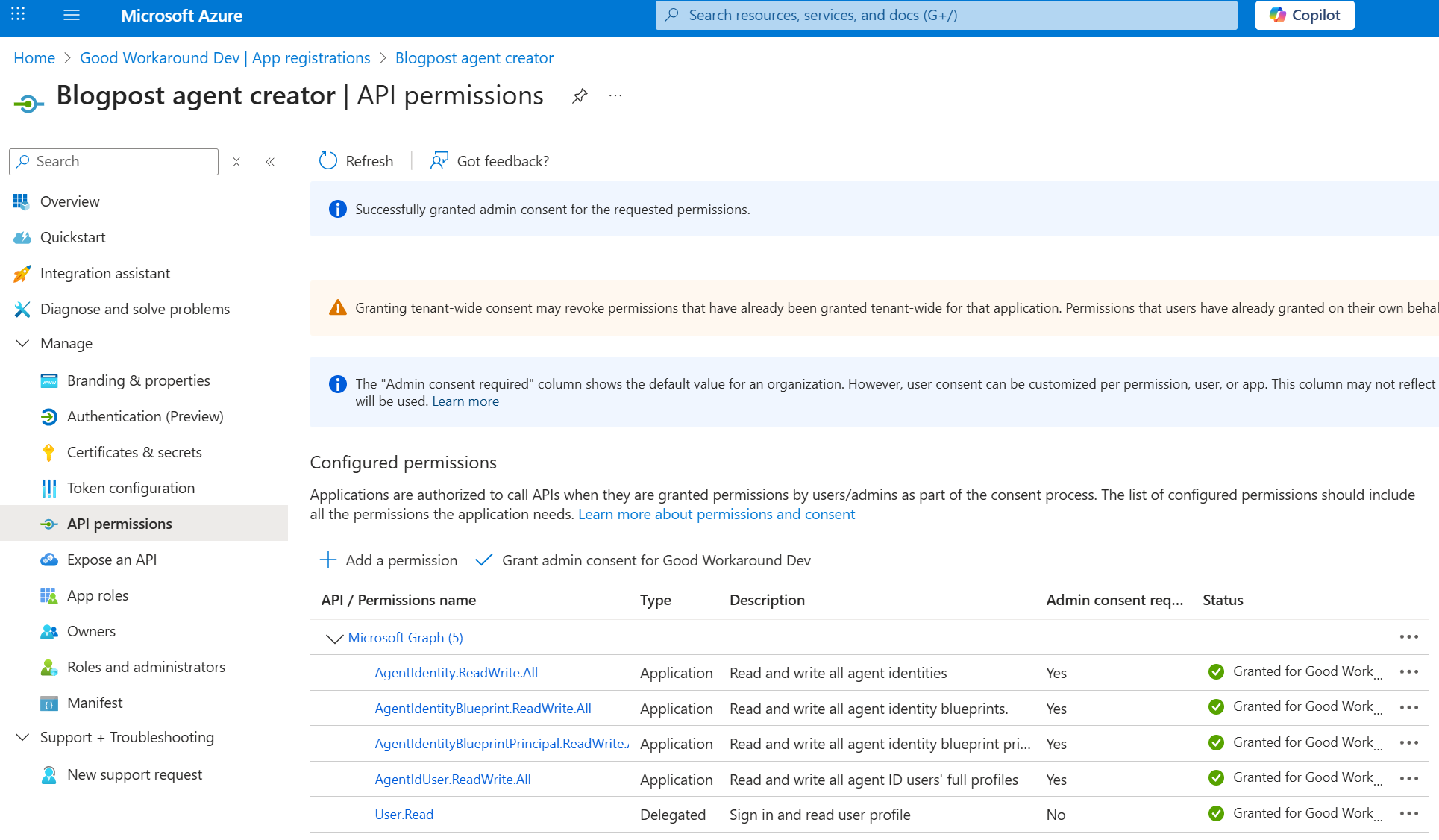
Install-Module EntraIDAccessToken -Scope CurrentUser -Force
Add-EntraIDClientSecretAccessTokenProfile
$body = '{                                                                                     "@odata.type": "Microsoft.Graph.AgentIdentityBlueprint",
  "displayName": "Blogpost Agent 1",
  "sponsors@odata.bind": ["https://graph.microsoft.com/v1.0/users/61858a99-231e-4b5d-9960-79d10c15d76f"],
  "owners@odata.bind": ["https://graph.microsoft.com/v1.0/users/61858a99-231e-4b5d-9960-79d10c15d76f"]
}'
Invoke-RestMethod "https://graph.microsoft.com/beta/applications/" -Method Post -Body $body -ContentType "application/json" -Headers (Get-EntraIDAccessTokenHeader -AdditionalHeaders @{"OData-Version"="4.0"})
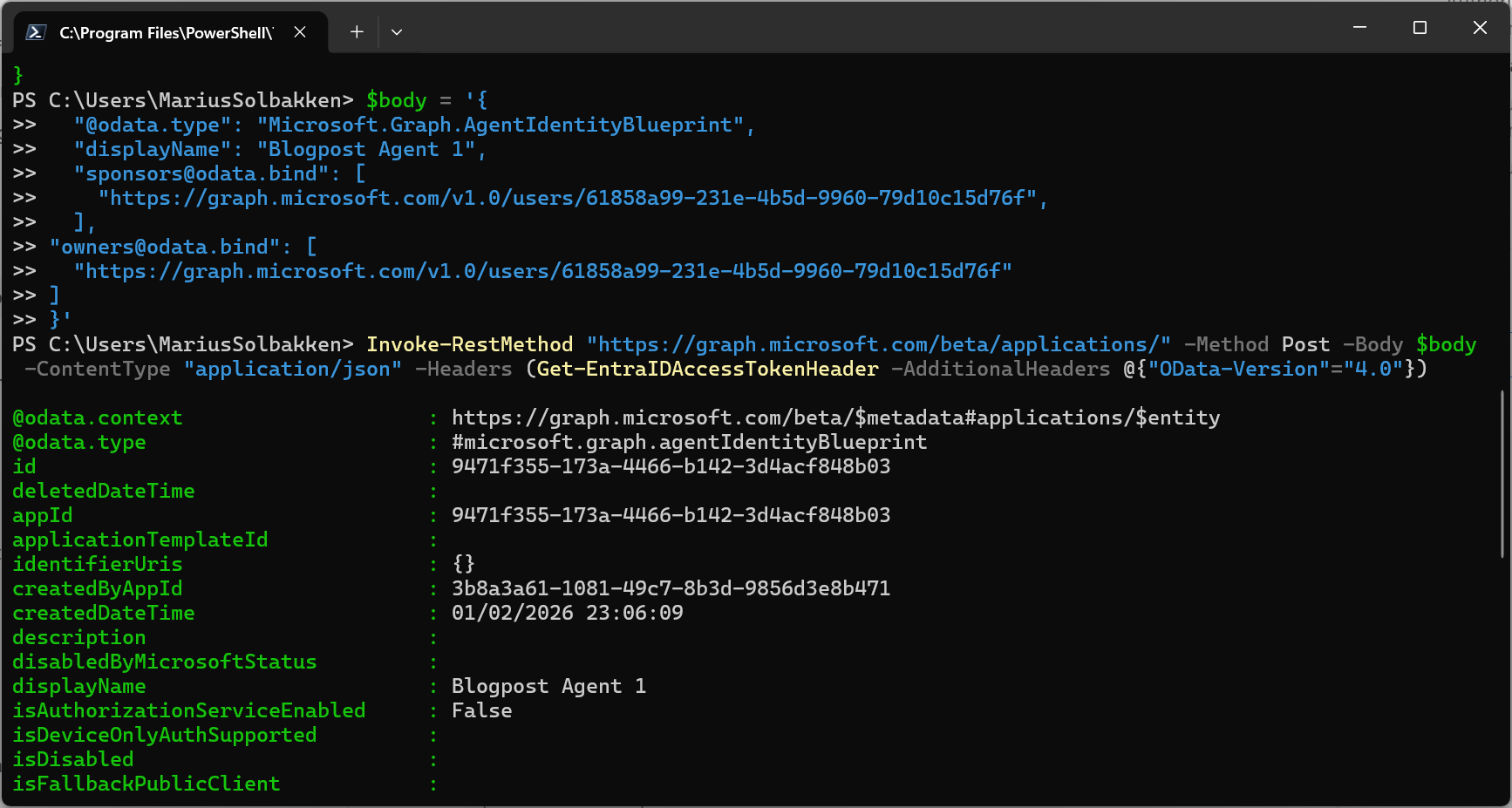
After being able to create the agent blueprint, we can now create an Agent identity blueprint principal:
$body = '{"appId": "9471f355-173a-4466-b142-3d4acf848b03"}'
Invoke-RestMethod "https://graph.microsoft.com/beta/serviceprincipals/graph.agentIdentityBlueprintPrincipal" -Method Post -Body $body -ContentType "application/json" -Headers (Get-EntraIDAccessTokenHeader -AdditionalHeaders @{"OData-Version"="4.0"})
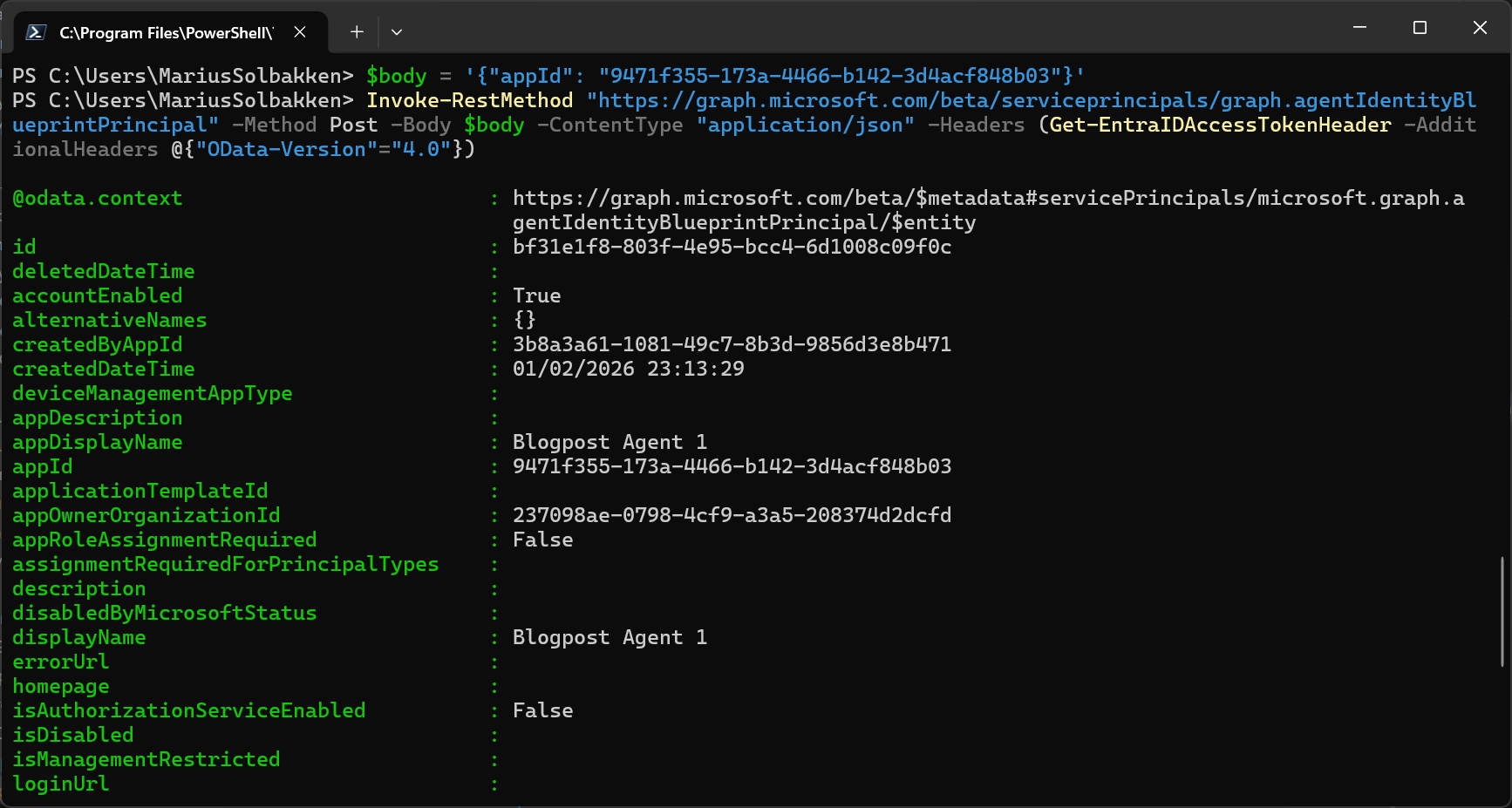
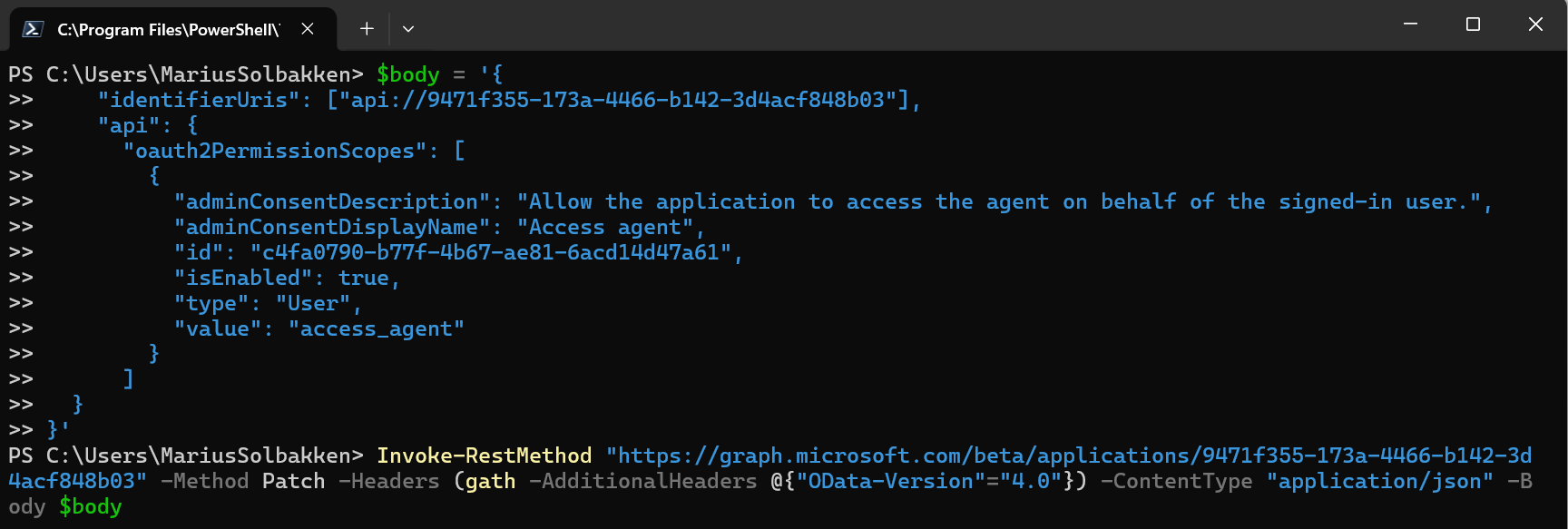
Following the doc without knowing what I do, I also add an oauth2 permission scope to the Agent Identity Blueprint:
$body = '{
    "identifierUris": ["api://9471f355-173a-4466-b142-3d4acf848b03"],
    "api": {
      "oauth2PermissionScopes": [
        {
          "adminConsentDescription": "Allow the application to access the agent on behalf of the signed-in user.",
          "adminConsentDisplayName": "Access agent",
          "id": "c4fa0790-b77f-4b67-ae81-6acd14d47a61",
          "isEnabled": true,
          "type": "User",
          "value": "access_agent"
        }
      ]
  }
}'
Invoke-RestMethod "https://graph.microsoft.com/beta/applications/9471f355-173a-4466-b142-3d4acf848b03" -Method Patch -Headers (gath -AdditionalHeaders @{"OData-Version"="4.0"}) -ContentType "application/json" -Body $body
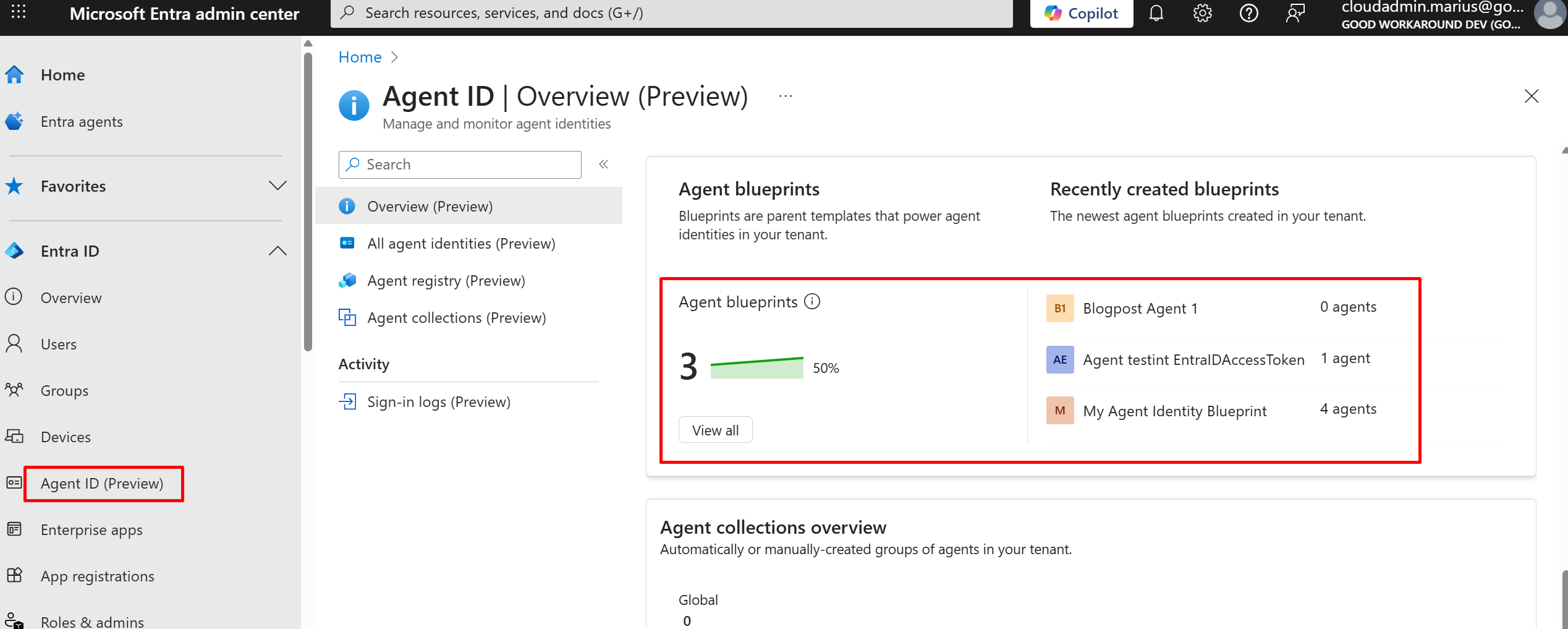
Right now, we can find our Agent Identity Blueprint by going to entra.microsoft.com, finding Agent ID and scrolling down to find Agent blueprints:
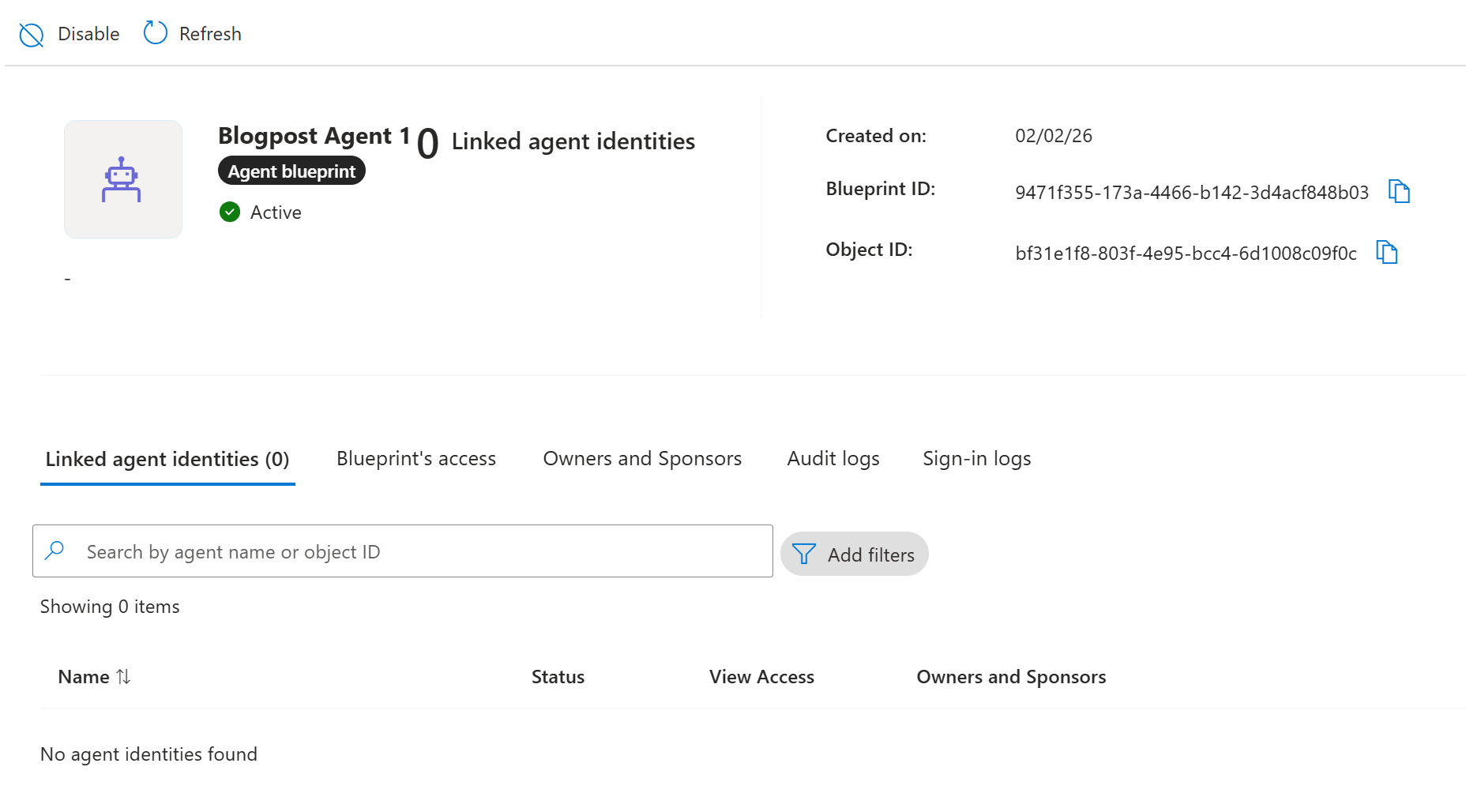
Navigating into the blueprint, there is not really all that much that can be done:
In summary for now, we have essentially just created an app registration and a service principal for it, just providing an OData type, that instead makes it an Agent identity blueprint. There is one thing to note, and that is that our newly created blueprint has a permission that has been automatically admin consented for us – the permission AgentIdentity.CreateAsManager:
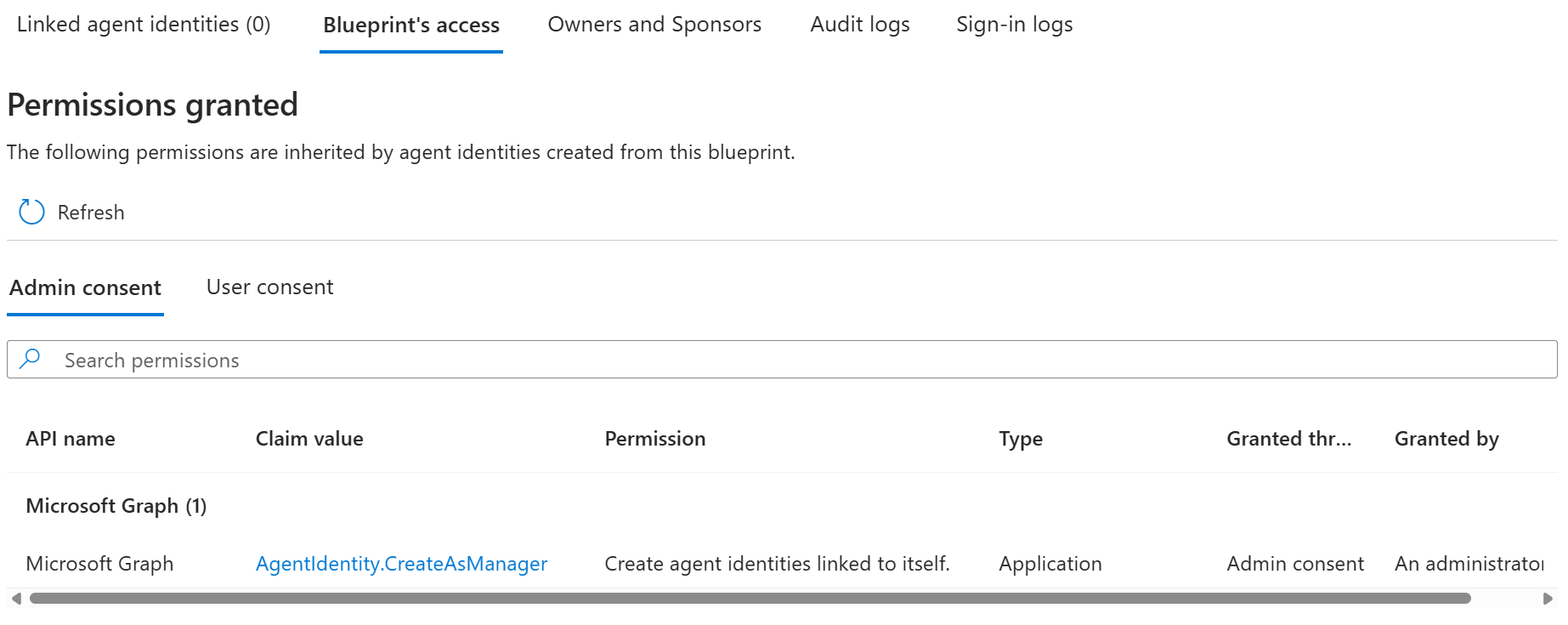
So the point here now is that our Agent Identity Blueprint can be used to create Agent Identities! This again means that we need to authenticate as the Agent Identity Blueprint, so we add a client secret to it (Or any other type of credential):
Invoke-RestMethod "https://graph.microsoft.com/beta/applications/9471f355-173a-4466-b142-3d4acf848b03/addPassword" -Method Post -Headers (gath -AdditionalHeaders @{"OData-Version"="4.0"}) -ContentType "application/json"
This means that we are ready to look into the next object type – the Agent Identity:
Agent Identity
As I said, we will now sign in with out Agent Identity Blueprint (for me, this is app id 9471f355-173a-4466-b142-3d4acf848b03):
Add-EntraIDClientSecretAccessTokenProfile -ClientId 9471f355-173a-4466-b142-3d4acf848b03 -TenantId 237098ae-0798-4cf9-a3a5-208374d2dcfd
Get-EntraIDAccessToken | Write-EntraIDAccessToken
We can of course now see that we have the permissions we expect to find:
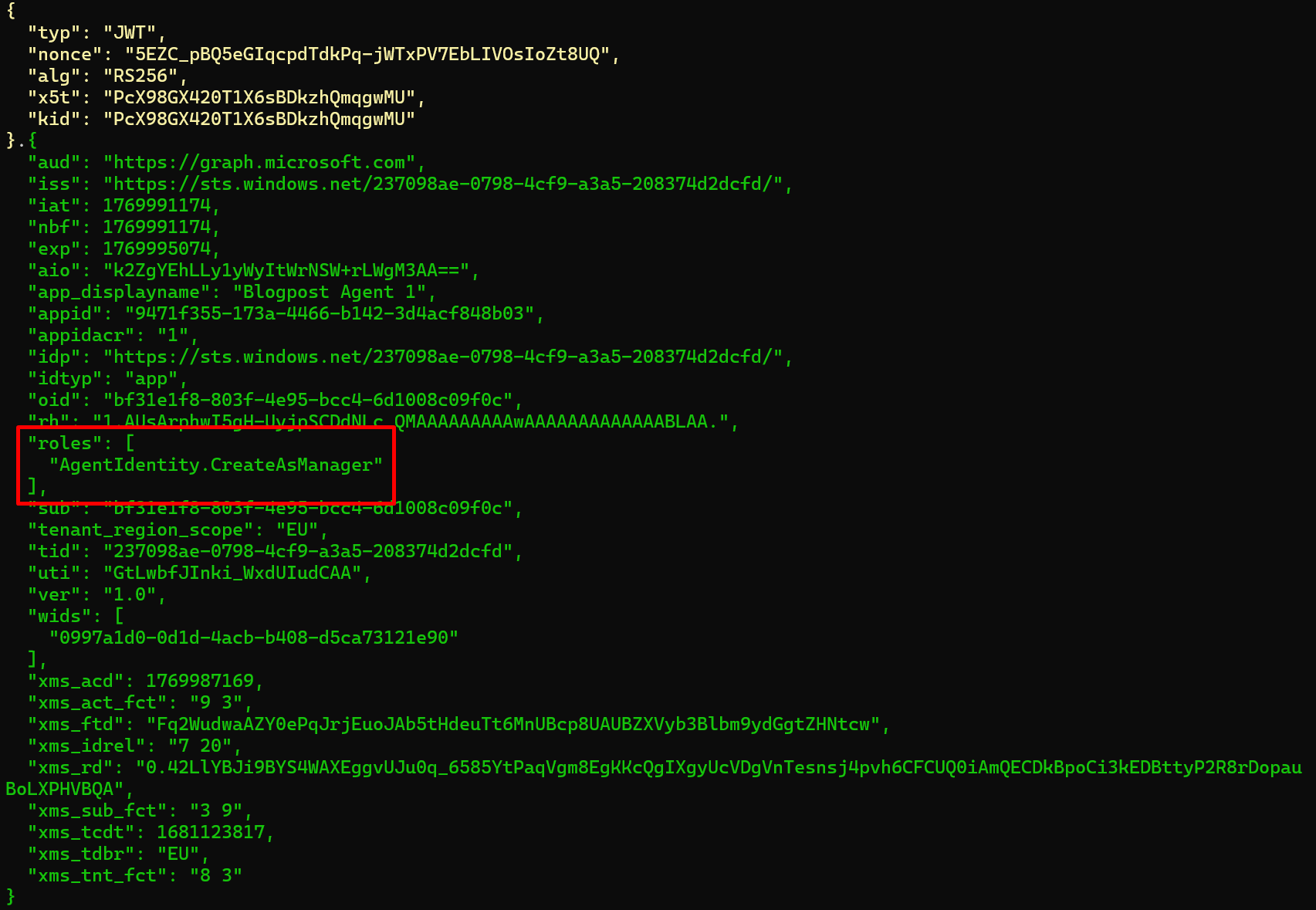
We can now imagine that the act of allowing a type of agent, either internally built or bought from an external vendor, is the consent to the Agent Identity Blueprint, which will allow the blueprint to create Agent Identities.
For creating these identities, we need to give it a name and a sponsor, as well as pointing to the Blueprint id.
$body = @{
    agentIdentityBlueprintId = "9471f355-173a-4466-b142-3d4acf848b03"
    displayName             = "Blogpost Agent Identity 1"
    "sponsors@odata.bind"    = @("https://graph.microsoft.com/v1.0/users/61858a99-231e-4b5d-9960-79d10c15d76f")
}
Invoke-RestMethod -Uri "https://graph.microsoft.com/beta/serviceprincipals/Microsoft.Graph.AgentIdentity" -Headers (Get-EntraIDAccessTokenHeader -AdditionalHeaders @{"OData-Version" = "4.0" }) -Method Post -ContentType "application/json" -Body ($body | ConvertTo-Json)
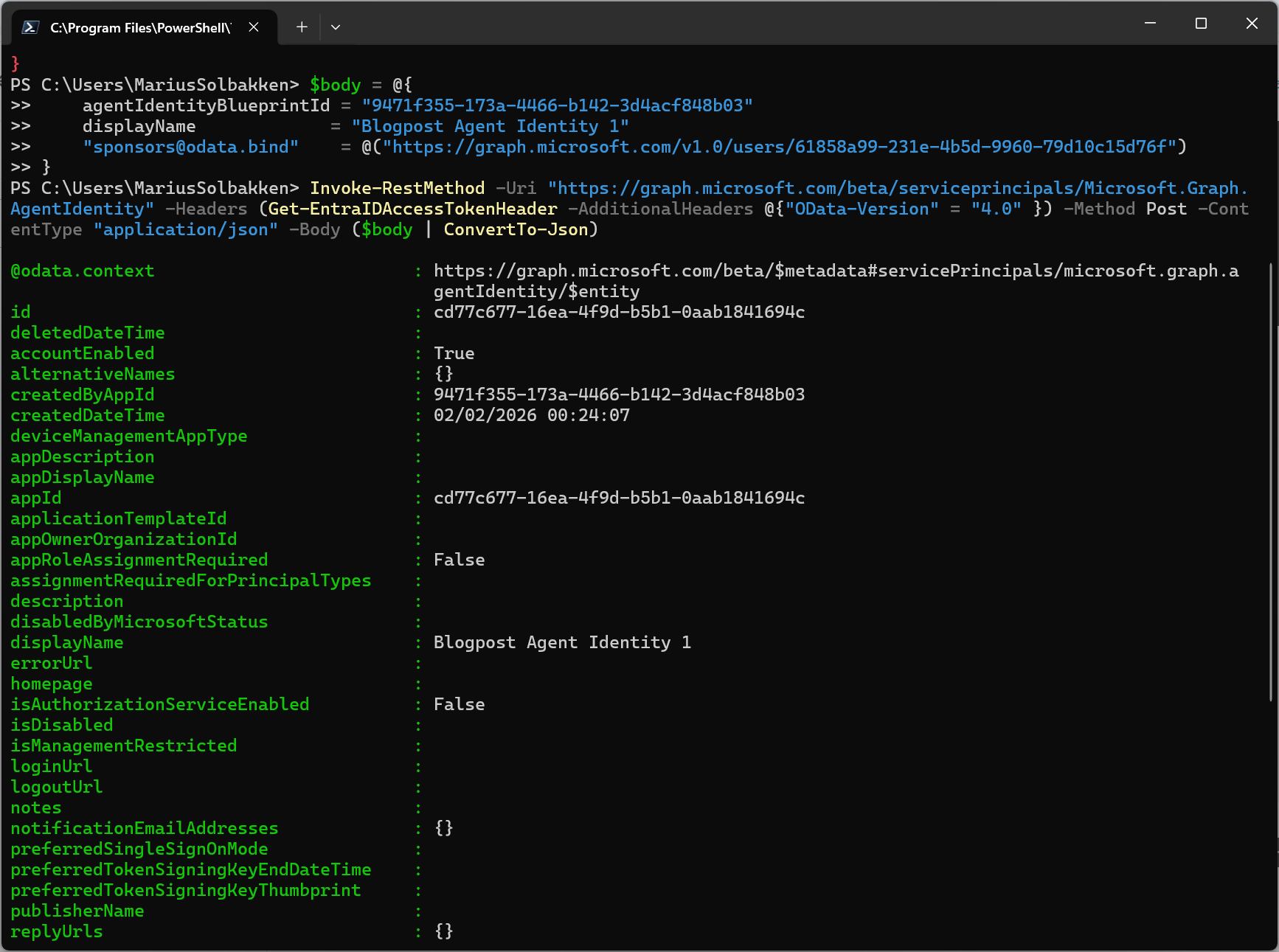
After creating this agent identity, we can find it in the user interface:
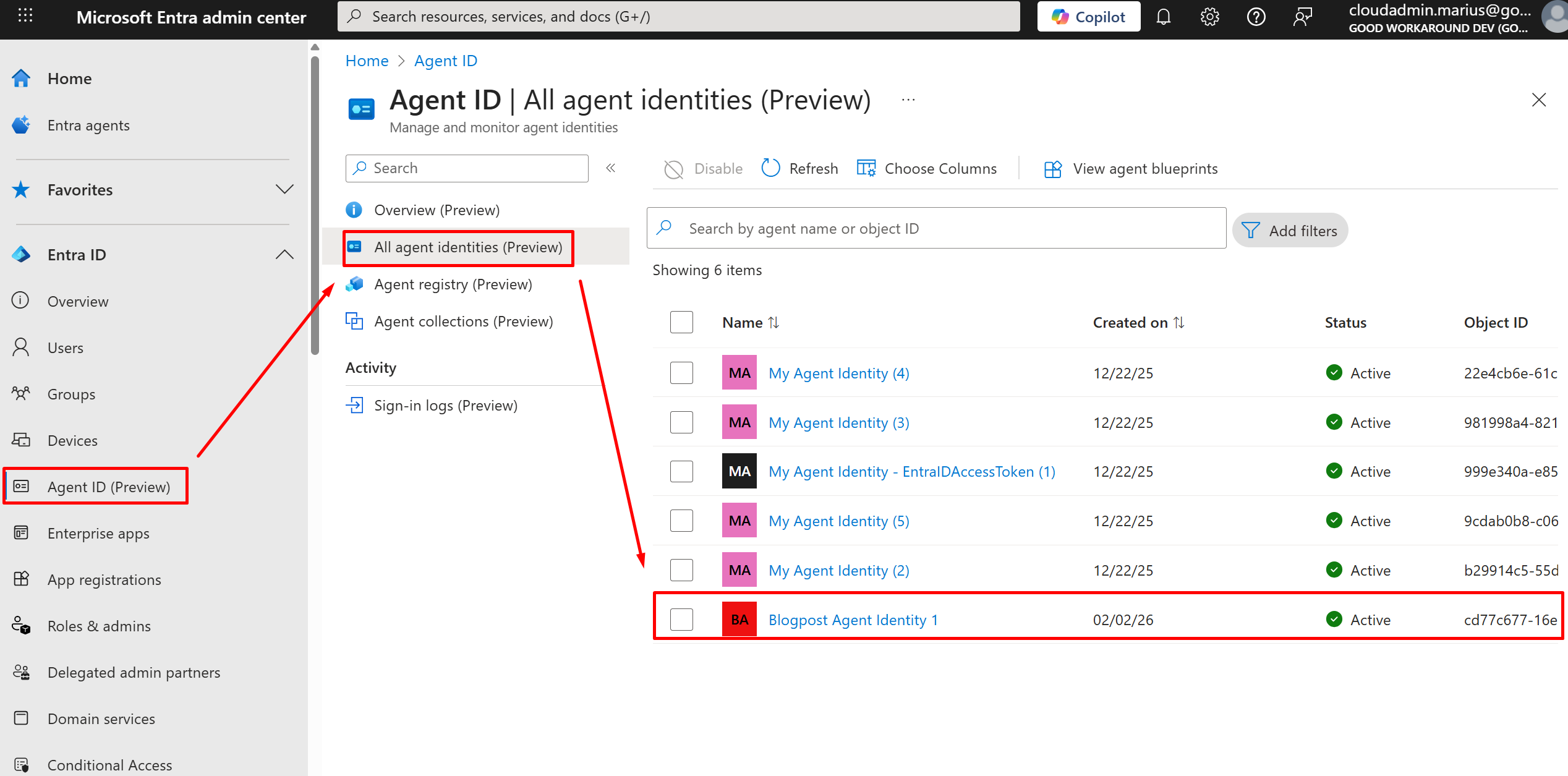
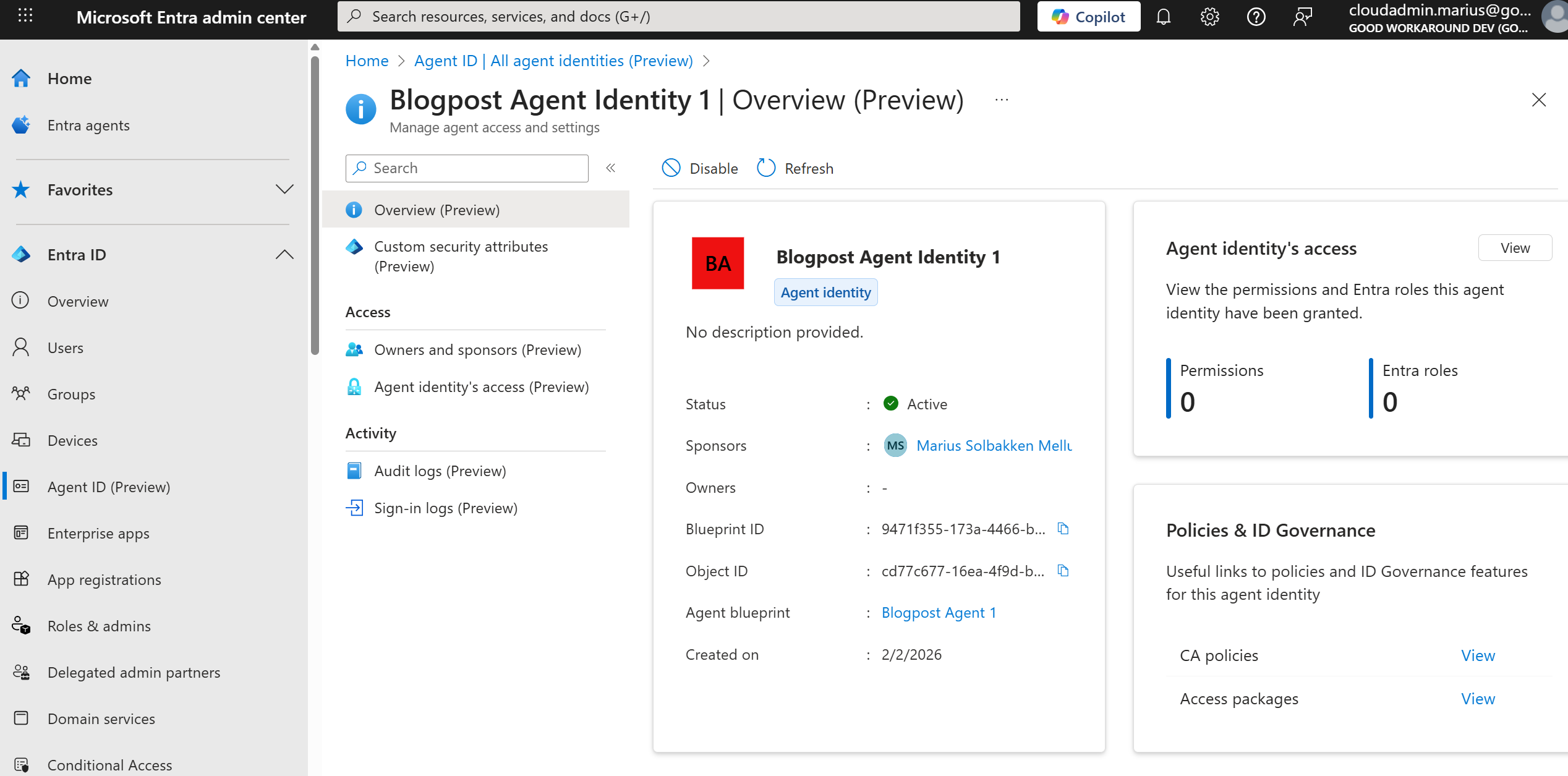
What we will now also see, is that we can create several agent identities:
$body = @{
    agentIdentityBlueprintId = "9471f355-173a-4466-b142-3d4acf848b03"
    displayName             = "Blogpost Agent Identity 2"
    "sponsors@odata.bind"    = @("https://graph.microsoft.com/v1.0/users/61858a99-231e-4b5d-9960-79d10c15d76f")
}
Invoke-RestMethod -Uri "https://graph.microsoft.com/beta/serviceprincipals/Microsoft.Graph.AgentIdentity" -Headers (Get-EntraIDAccessTokenHeader -AdditionalHeaders @{"OData-Version" = "4.0" }) -Method Post -ContentType "application/json" -Body ($body | ConvertTo-Json)
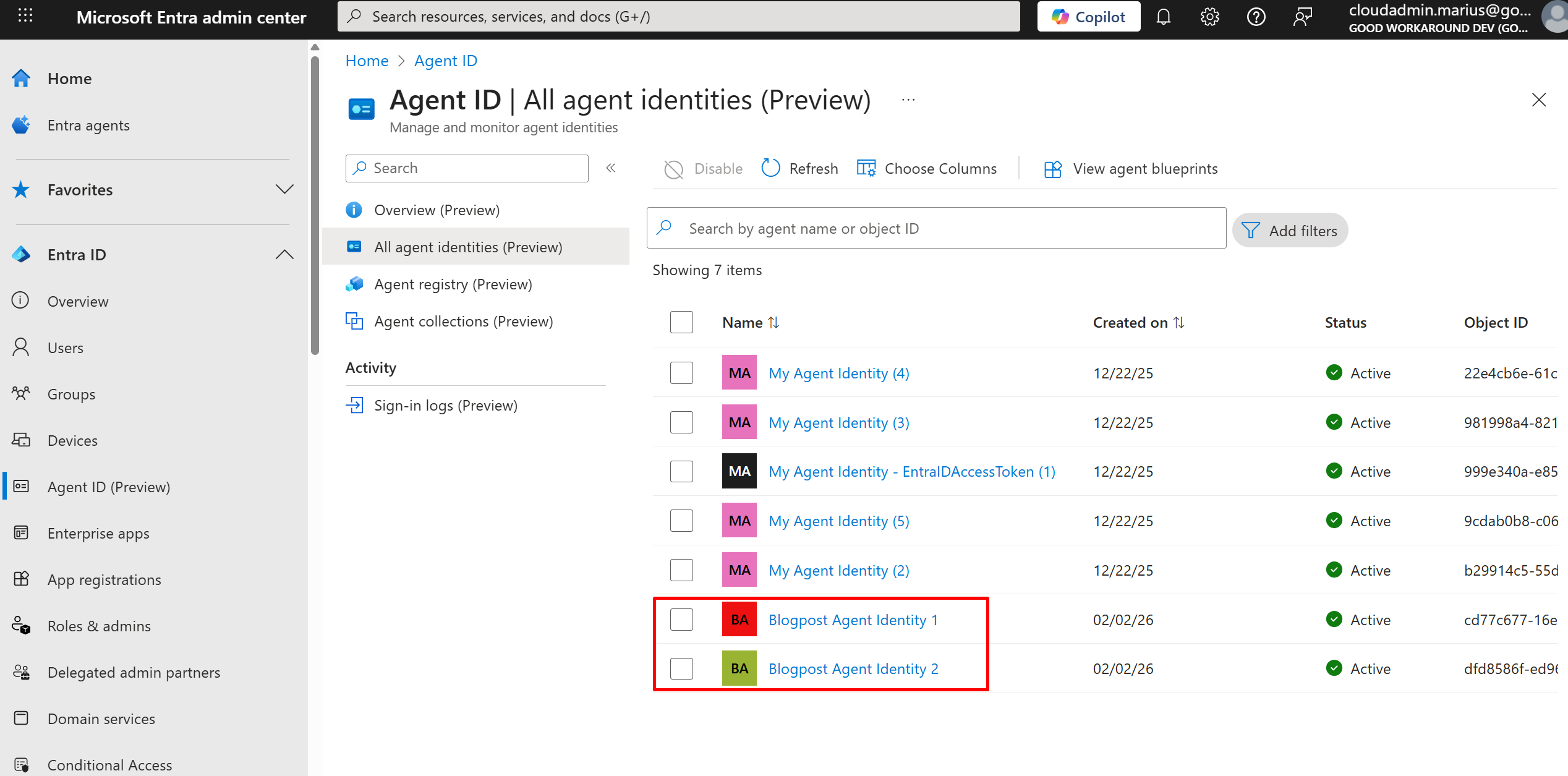
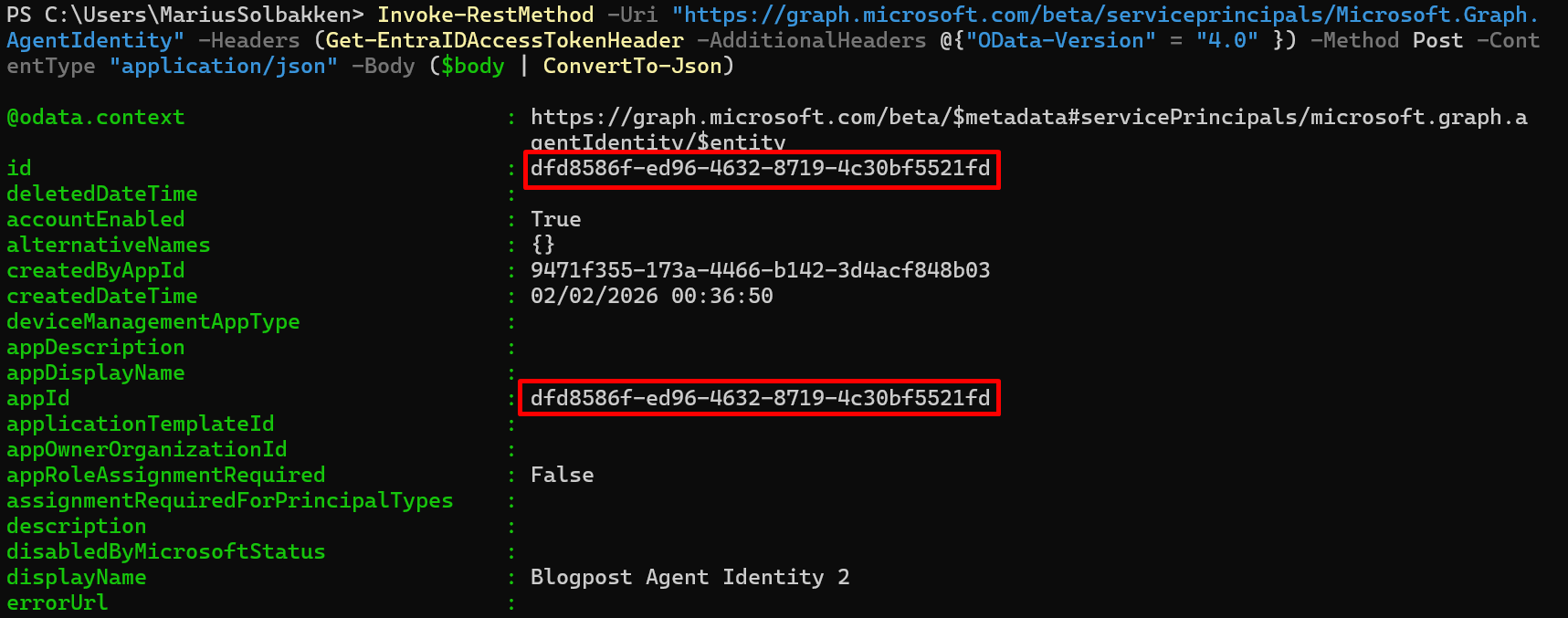
The point here, is that this can easily be multiple agents, based on the same blueprint, but maybe granted different permissions etc.. We can also note that the objectid og and appid of the created Agent Identity is the same:
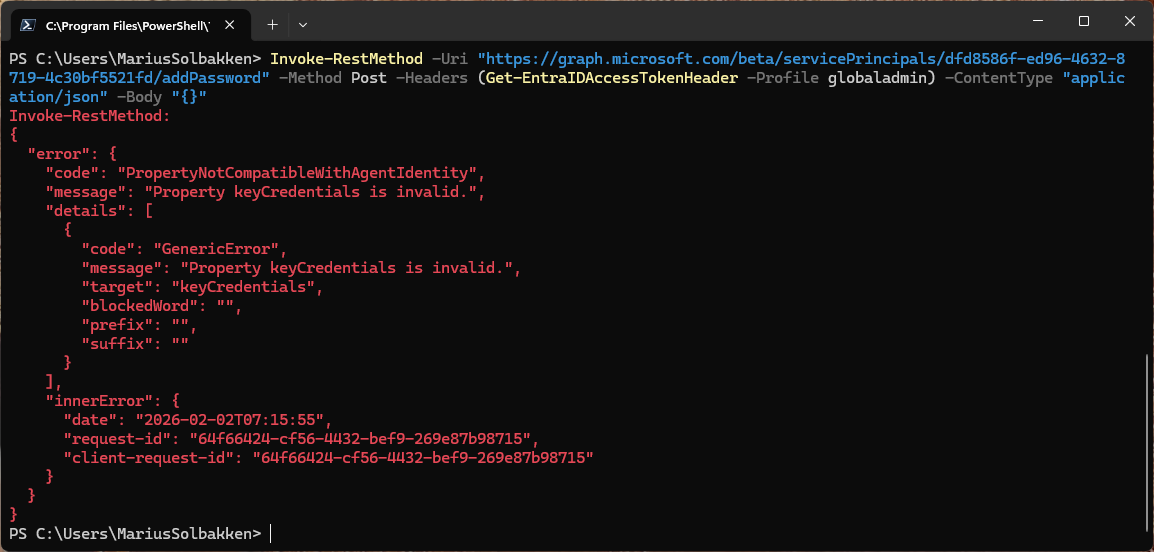
Out of interest, I also tried adding a client secret to this service principal, but that is blocked, thankfully:
In summary
Let’s summarize the things we have created and understood for now:
- The Agent Identity Blueprint is our definition, with things like:
- Credentials
- Microsoft partner id / verified publisher
- App roles
- Credentials
- Oauth permission scopes
- Have the same objectid as appid
- The Agent Identity Blueprint Principal
- The instance of our blueprint
- Creates agent identities
- Conditional access enforcement point
- The Agent Identity
- Points back to an Agent Identity Blueprint Principal
- Does not have its own credentials
- Several Agent Identities can point to the same blueprint, all having different object ids
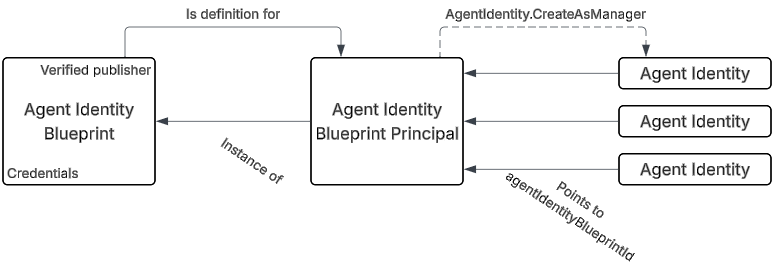
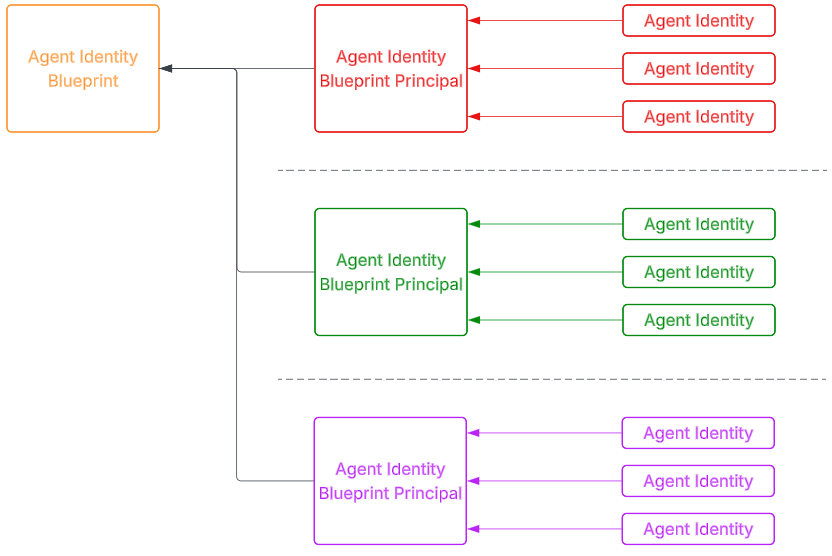
And translating the same pattern to a multi tenant / vendor configuration, we can have the blueprint in the vendor tenant, and the Blueprint Principal and Agent Identities in different customer tenants:
Agent User
There is one more object we need to talk about, that I have not seen used too much yet, which is the Agent User. The need for such an object arises when we need features that does not work for applications, such as having their own mailbox. Agent Users are different from our regular users in a few ways, with the most important bit being the fact that they do not have passwords. Instead, they rely on a federated credential from the Agent Identity. This means that there is no way for this user to do an interactive sign-in.
Anyway, let’s create one. It is the Blueprint Principal that is responsible for creating the user, but the permission is not granted by default. This is because the user is optional, and there is no need to grant permissions that will never be used.
A bit harder to find the documentation for these Agent Users, but here it is.
First, we need to grant our Agent Blueprint the required permissions. Apparently this is not possible in the UI:
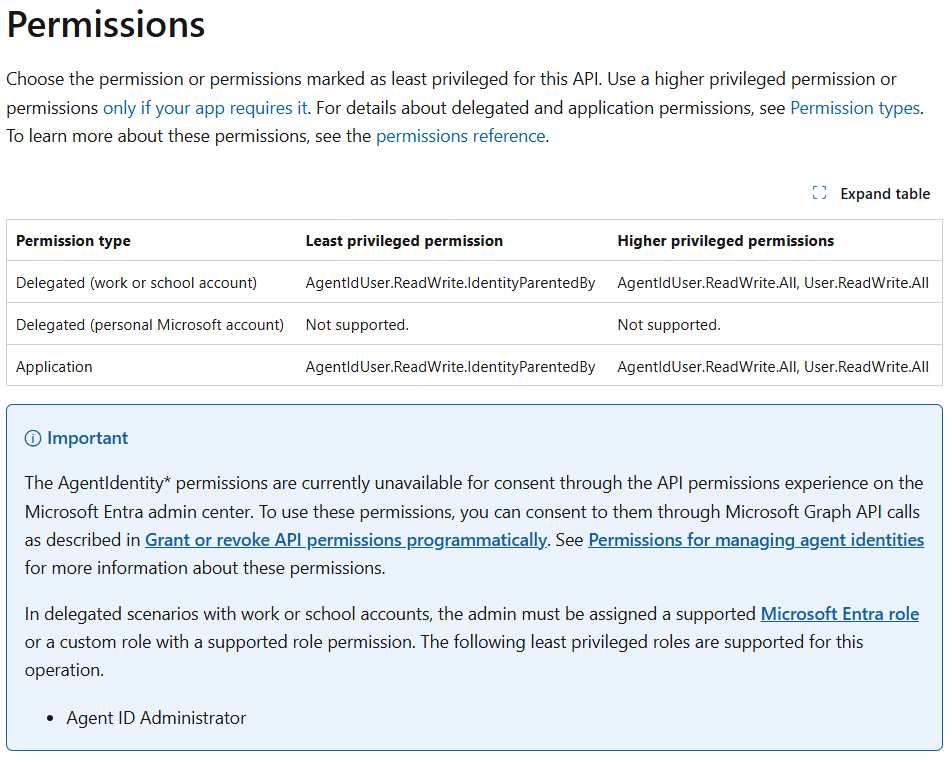
Ok, so I know how to grant a permission like this, but I would like my blueprint to have the correct permission listed in the required permissions list. So, working with Graph explorer, I can find all blueprints in my tenant using this url:
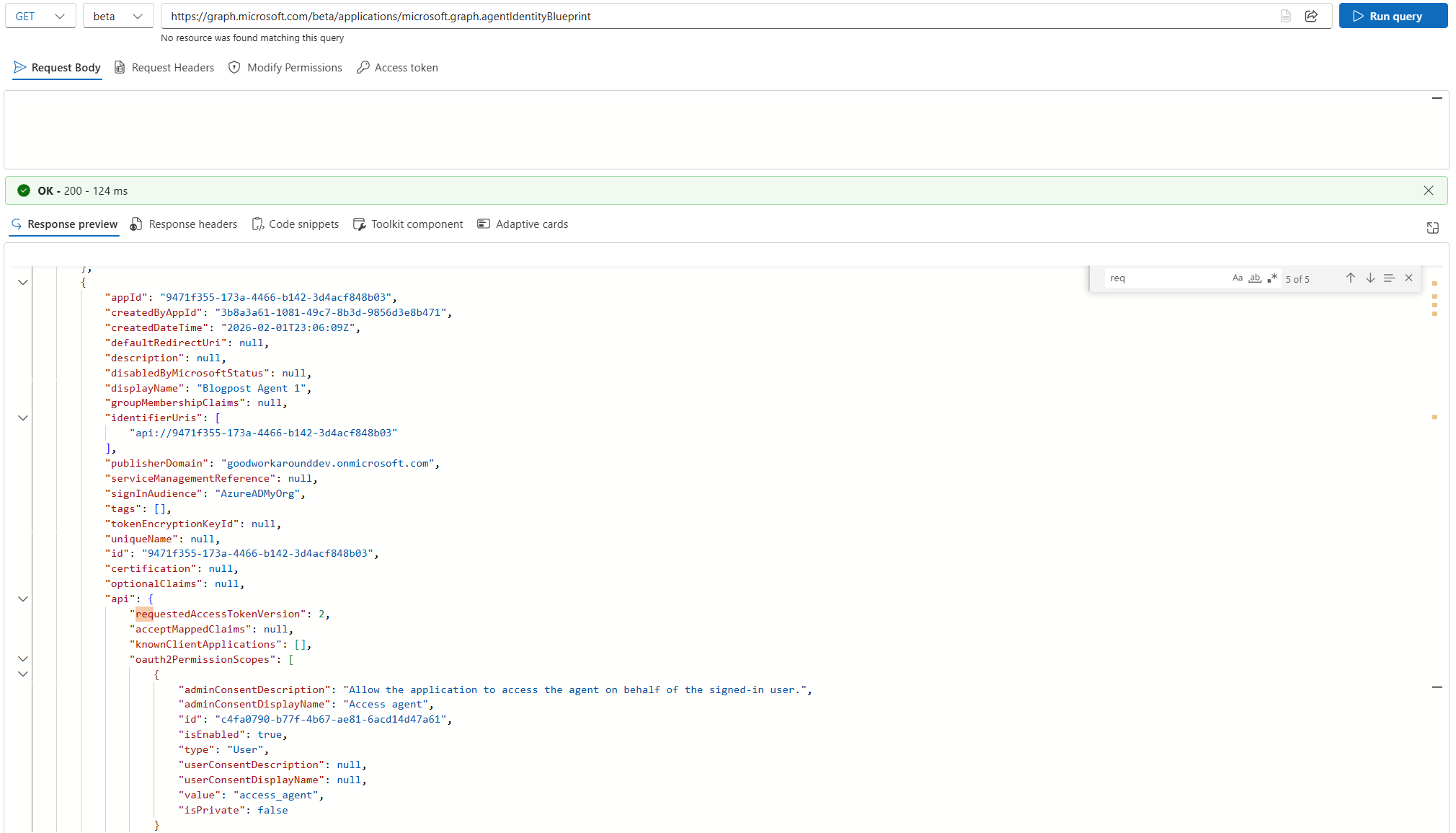
What I thought I was going to find here, was the requiredResourceAccess property. However, this is not present on Blueprints… Ok, let’s grant the permission in a different way:
New-EntraIDAppPermission -Permission AgentIdUser.ReadWrite.IdentityParentedBy -ObjectId bf31e1f8-803f-4e95-bcc4-6d1008c09f0c

After this, I can find the permission listed in the UI:
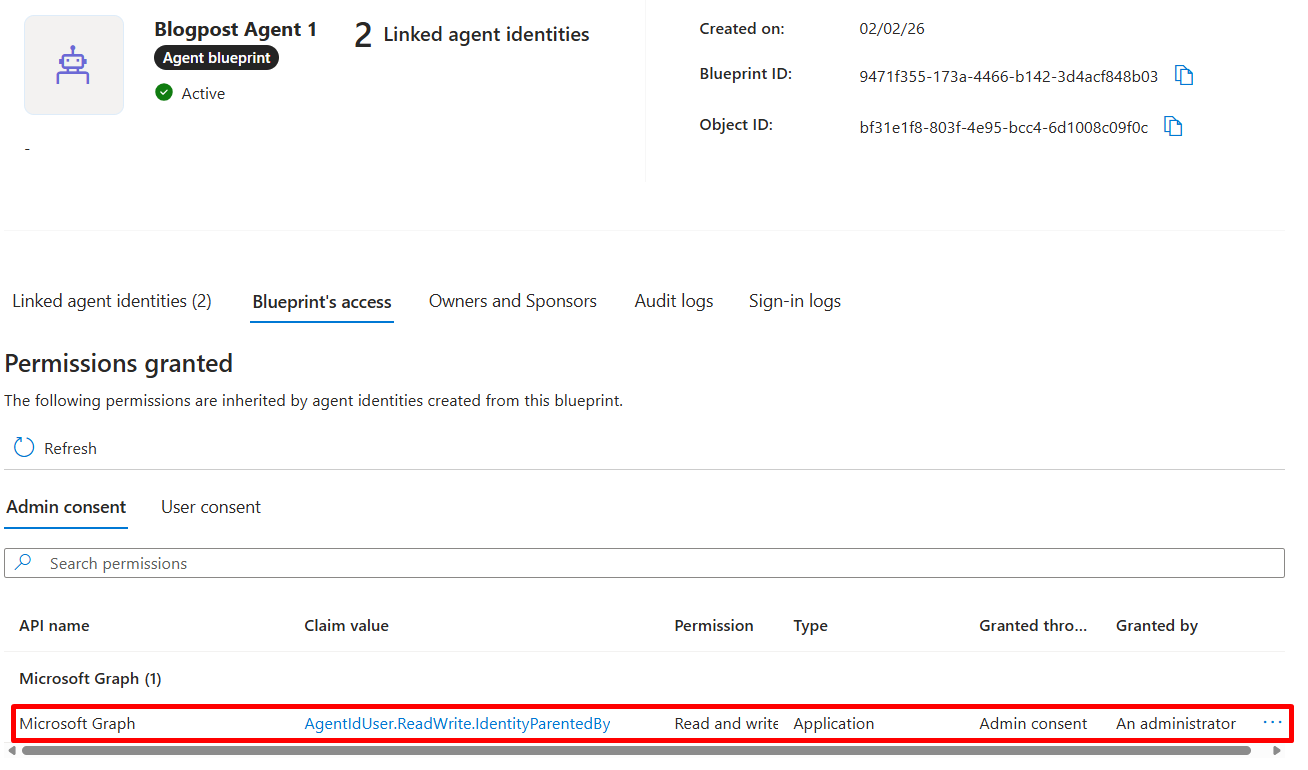
Now I can finally run this as our Blueprint service principal:
$body = @{
    "@odata.type" = "microsoft.graph.agentUser"
    accountEnabled= $true
    displayName = "Blogpost Agent Identity 1 User"
    mailNickname = "7acd14d47a62"
    userPrincipalName = "7acd14d47a62@dev.goodworkaround.com"
    identityParentId = "cd77c677-16ea-4f9d-b5b1-0aab1841694c"
}

Invoke-RestMethod -Uri "https://graph.microsoft.com/beta/users/" -Headers (Get-EntraIDAccessTokenHeader) -Method Post -ContentType "application/json" -Body ($body | ConvertTo-Json)
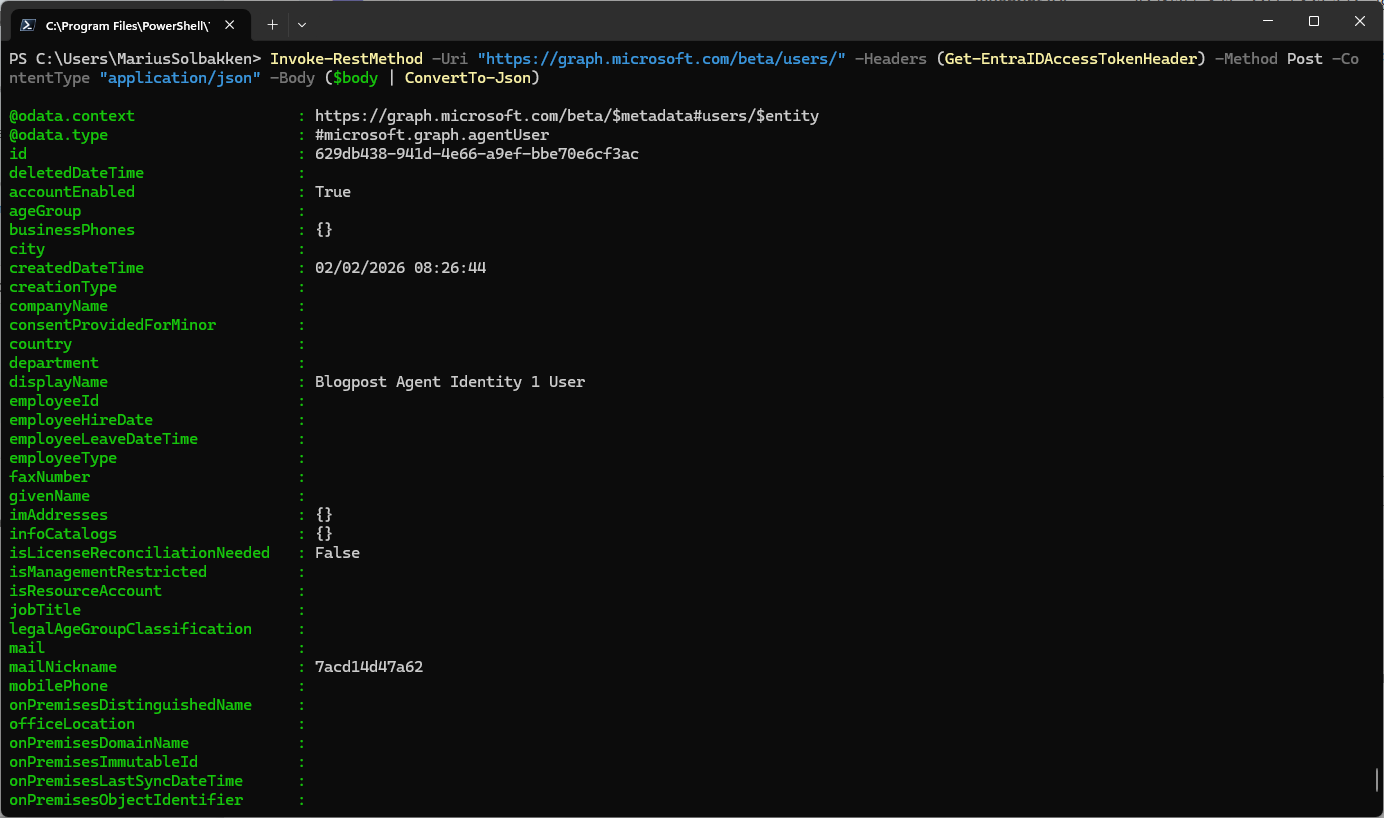
At this point, we can see that our agent identity (#1) has a user assigned to it:
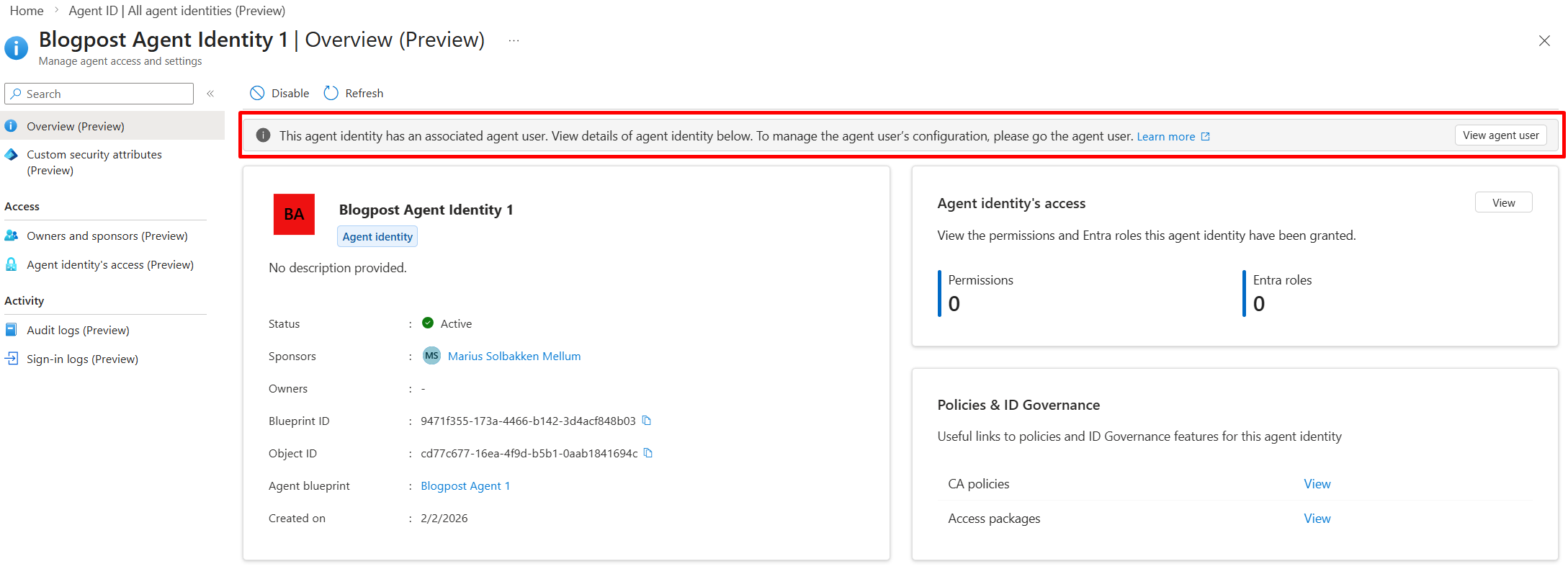
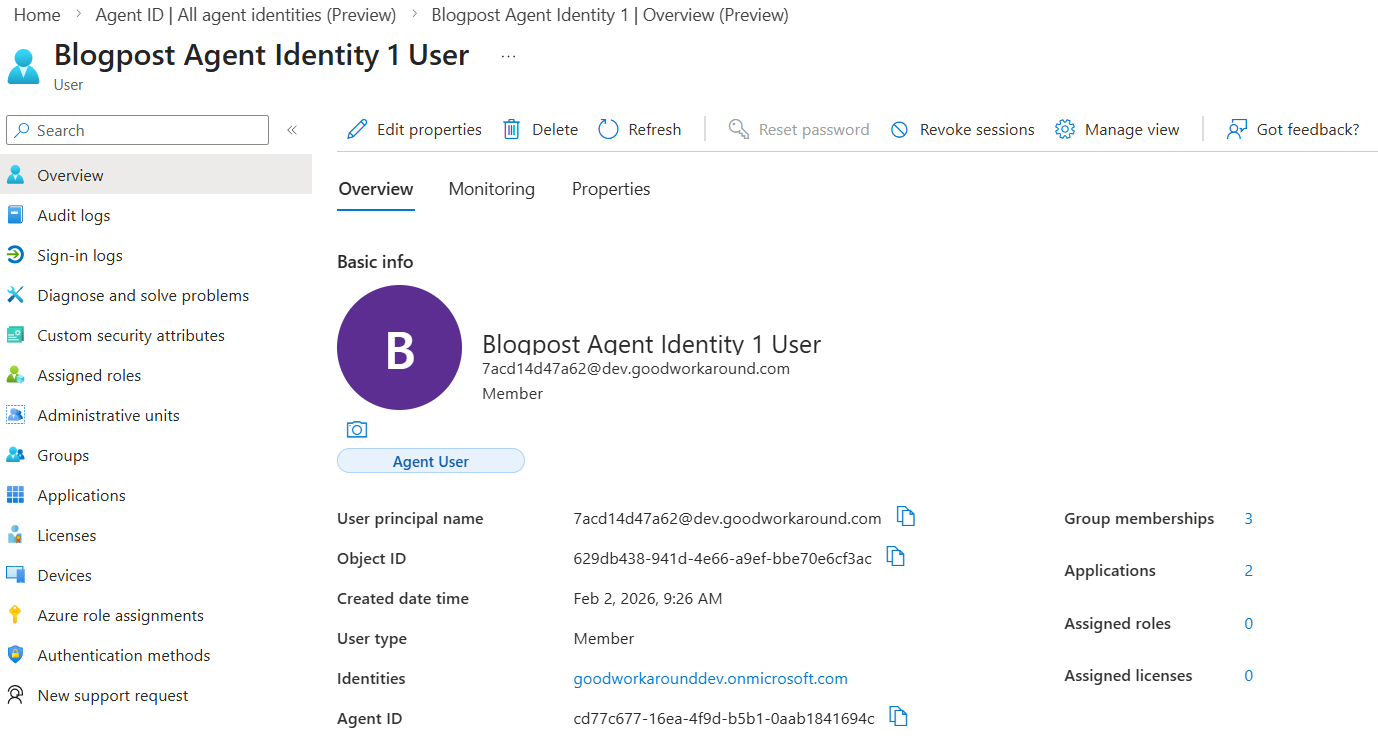
So right now, we have the following objects set up:
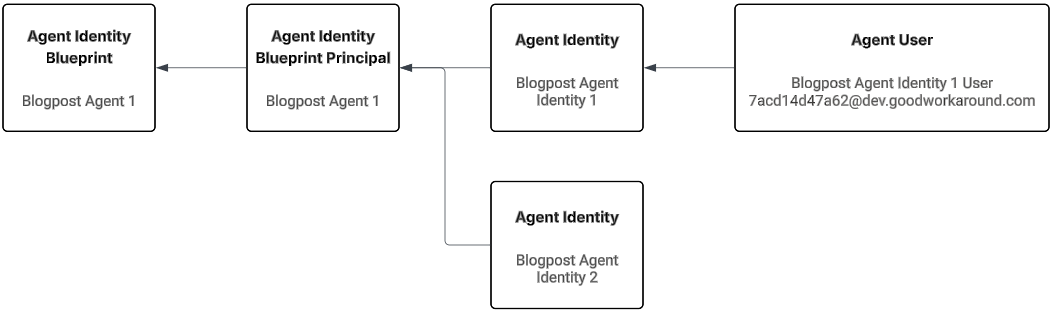
How to we find all these objects?
To find our objects, we have the following Graph urls available to us:
| Object type | Url |
| Agent Identity Blueprints | https://graph.microsoft.com/beta/applications/microsoft.graph.agentIdentityBlueprint |
| Agent Identity Blueprint Principals | https://graph.microsoft.com/beta/servicePrincipals/microsoft.graph.agentIdentityBlueprintPrincipal |
| Agent Identities | https://graph.microsoft.com/beta/servicePrincipals/microsoft.graph.agentIdentity |
| Agent Users | https://graph.microsoft.com/beta/users/microsoft.graph.agentUser |
Where to go?
Now that we have our objects created and operational, the next step is to actually use them to authenticate. This will be my next blog post 👍

 Good Workaround!
One thought on “Digging deep into Entra agent identities – #1”